Outline a novel scene by scene
Add a card for each scene and group them under chapters and acts. Plotters can build the whole outline before writing a word. Discovery writers can log scenes after writing them and use the timeline to revise.
Storymapper is a visual outlining tool for authors. It suits a crime novel with three suspects and a ticking clock as well as it suits an epic fantasy, a dual-timeline historical or a romance with two points of view.
Free forever for the core features. No card needed.
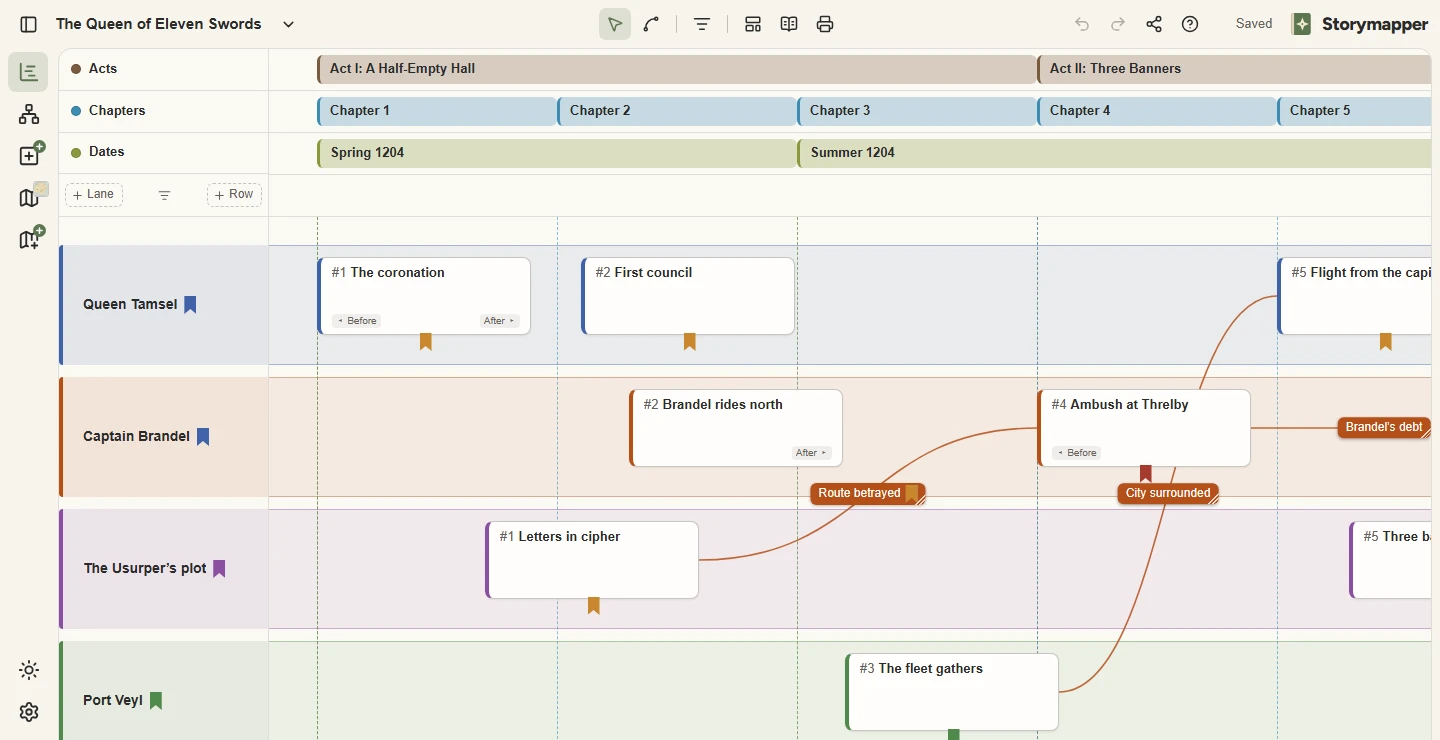
Add a card for each scene and group them under chapters and acts. Plotters can build the whole outline before writing a word. Discovery writers can log scenes after writing them and use the timeline to revise.
Each subplot and point-of-view character gets its own lane. A mystery writer can keep a lane for what really happened and another for what the detective knows. A historical novelist can run the 1940s strand above the present-day one.
Connectors link a clue to its payoff and a promise to its consequence. Before and after notes on each scene show where a character stands at every step, which makes a broken arc easy to spot.
Upload a map of your setting, whether that is an invented kingdom, a real city or a single country house. Pin each scene to its location and play the story back to check who was where, and when.
The Relationships chart holds your family trees, chains of command and alliances. Give each tie a start and an end in the story, press play, and watch the cast change around your hero.
Lay the three-act structure or the Hero’s Journey across your outline as a row of beats. Then switch to chapter order to read the plot the way your reader will, flashbacks and all.